You have a product idea. It’s specific. You can see it working. And for the first time in the history of software, you don’t need a development team or a six-figure budget to find out if it has legs.
That’s the promise of vibe coding — and in 2026, the promise is real. Non-technical founders are shipping functional prototypes in days. Agencies are visualizing client products before writing a single line of production code. Entrepreneurs are validating ideas that would have taken months and a lot of capital to test just a few years ago.
But here’s what the hype usually leaves out: vibe coding is a starting line, not a finish line.
Knowing how to use it well — how to move fast without building yourself into a corner, how to recognize when you’ve outgrown it, and how to transition from a vibe-coded prototype to a live, scalable, market-ready product — is where the real competitive edge lives.
This guide covers all of it. Think of it as your professional framework for using vibe coding with intent: what it is, what it’s genuinely good at, how to use it step by step, which platforms to consider, what pitfalls to avoid, and when it’s time to make the leap from vibe code to live code.
What Is Vibe Coding, Really?
The term “vibe coding” was coined by AI researcher Andrej Karpathy in early 2025 to describe a new mode of software development where the programmer describes what they want in natural language — and the AI generates the code. The developer’s job shifts from writing syntax to directing intent.
In practice, it looks like this: you describe a screen, a feature, a workflow, or an entire application in plain English, and the AI builds it. You review the output, refine your instructions, and iterate. No deep knowledge of React, Python, or SQL required — though that knowledge helps you go further.
What makes this distinct from earlier “no-code” or “low-code” tools is that vibe coding produces actual, editable code. You’re not locked into a drag-and-drop interface or a proprietary platform’s limitations. The AI writes the code; you own it.
The result is a category of tool that sits between “I need a developer” and “I’ll build it myself.” For the right use cases, it’s extraordinarily powerful.
What Vibe Coding Is Good At
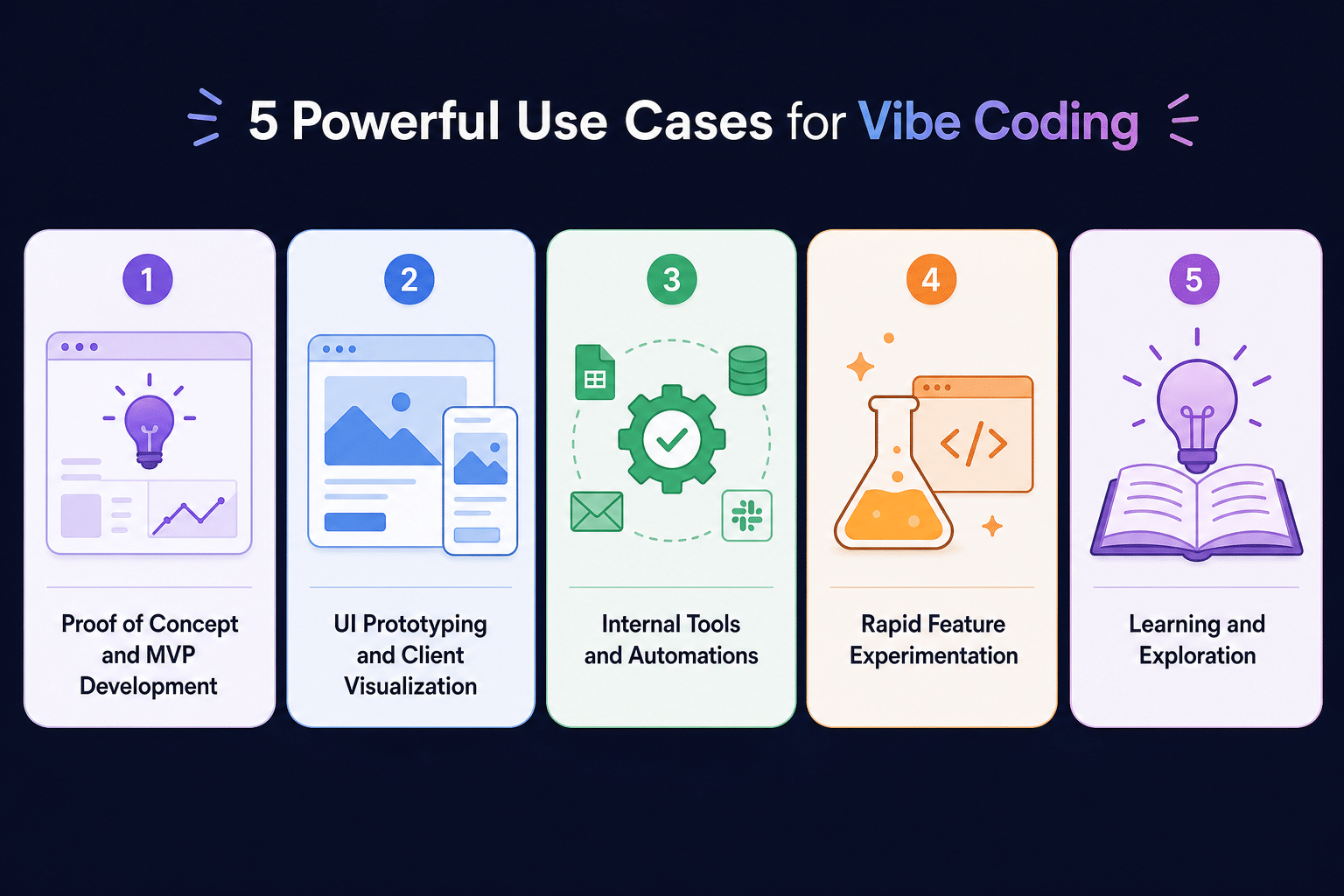
Before picking a tool or starting a project, it helps to understand where vibe coding earns its keep vs. where its limits start to show.
Ideal Vibe Coding Use Cases
Proof of Concept and MVP Development. This is vibe coding’s home turf. If you want to answer the question “does this idea work?” — whether for investors, customers, or yourself — vibe coding gets you there at a fraction of the cost and time of traditional development. A functional prototype that demonstrates core logic and UI is achievable in days, not months. (For a deeper look at this use case, see our upcoming piece: Building Proof of Concept with AI.)
UI Prototyping and Client Visualization. For agencies and consultants, vibe coding tools are changing the discovery and proposal process entirely. Instead of presenting wireframes or mockups, you can walk a client through a working prototype of the product they want to build — before any real development begins. This closes gaps in understanding, reduces scope creep, and creates alignment faster. At Rubico, we’ve begun using this approach to help clients visualize and confirm the product they want built before a line of production code is ever written.
Internal Tools and Automations. Simple dashboards, admin panels, data viewers, and workflow automations are excellent candidates for vibe coding. The complexity ceiling is lower here, and the audience (usually internal teams) has more tolerance for imperfection.
Rapid Feature Experimentation. When a development team wants to test a feature concept before committing engineering hours to build it properly, vibe coding can produce a working model for stakeholder review in hours.
Learning and Exploration. For technical and semi-technical users, vibe coding tools accelerate learning by generating working examples of patterns, frameworks, and architectures that would otherwise take hours to research and implement manually.
Where Vibe Coding Runs Into Walls
Understanding the limits is just as important as understanding the strengths. As a general rule, vibe-coded applications start hitting friction when:
Compounding Complexity. Each new feature added to a vibe-coded codebase introduces more surface area for the AI to misunderstand or contradict. What worked at feature 5 can break at feature 15.
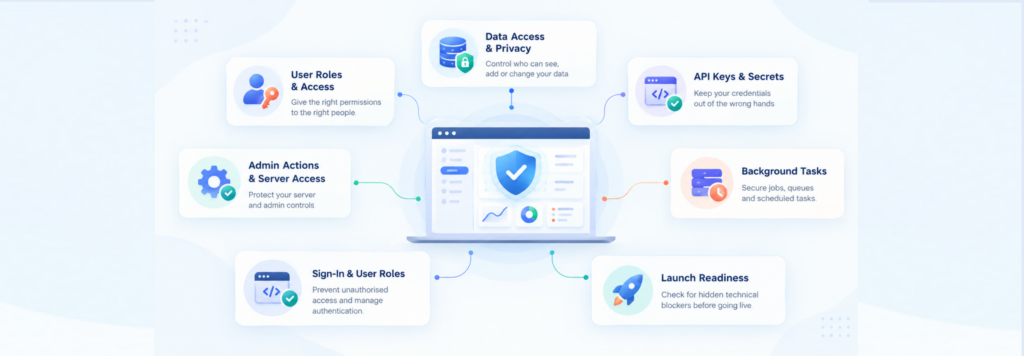
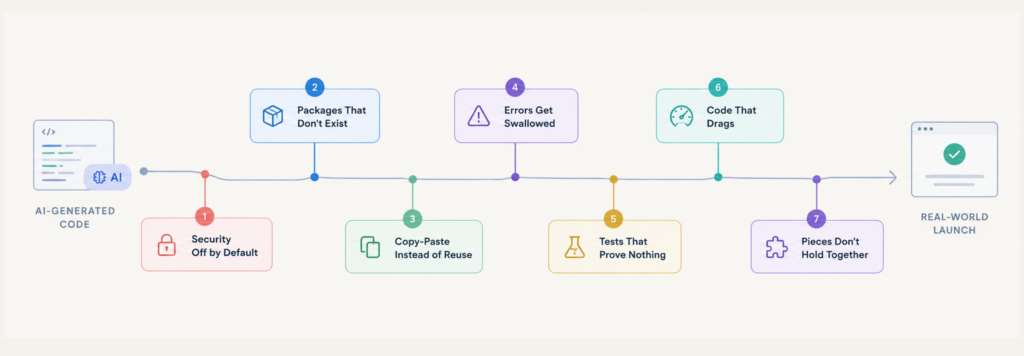
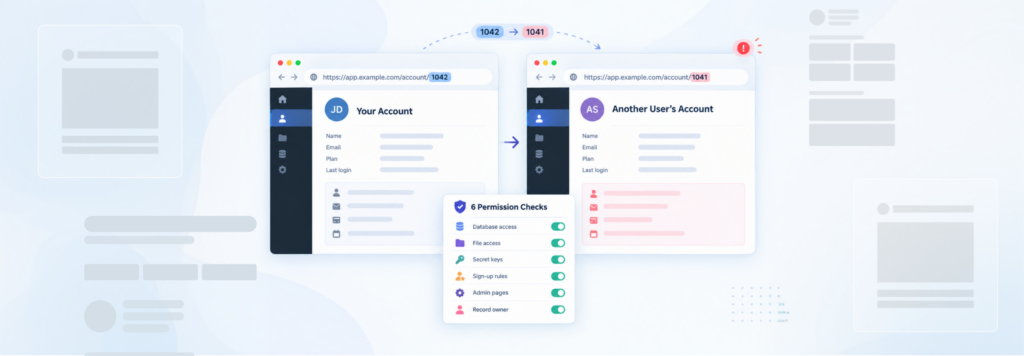
Security matters. Industry analysis suggests a significant portion of AI-generated code contains security vulnerabilities that aren’t visible to non-technical reviewers. Authentication flows, data handling, and API integrations require scrutiny that most vibe coding workflows don’t naturally provide.
Scale enters the picture. A vibe-coded app that works for 10 users may not be architected to handle 10,000. Database design, query efficiency, and infrastructure choices made during prototyping often need to be revisited — or rebuilt — for production.
Integration gets real. Connecting to legacy systems, enterprise APIs, or complex third-party platforms quickly exceeds what most vibe coding platforms handle gracefully.
(We’ll go much deeper on these constraints in our companion piece: Pitfalls and Vulnerabilities of Vibe Coding, covering security, scalability, and systems in detail.)
How to Use Vibe Coding Professionally: A Step-by-Step Approach
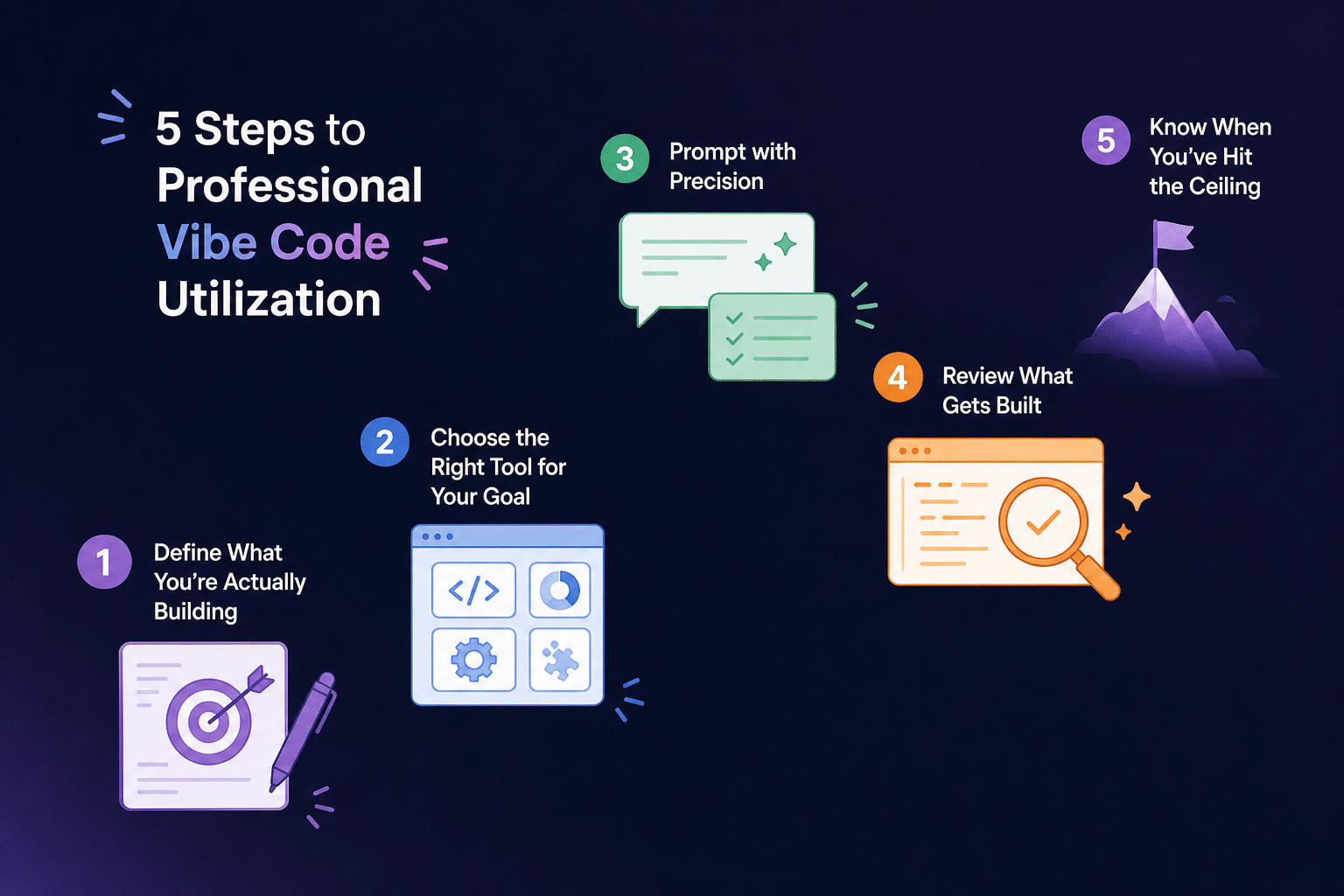
The difference between a founder who builds something useful and one who spends weeks going in circles often comes down to discipline and process. Here’s how to use vibe coding with professional intent.
Step 1: Define What You’re Actually Building
This sounds obvious, but it’s where most vibe coding sessions go wrong. The AI will generate something for almost any prompt — but “something” isn’t the same as “what you wanted.”
Before opening a tool, write out:
- The core problem your product solves (one sentence)
- The primary user and their primary action
- The two or three features that are absolutely essential for the prototype to be meaningful
- What success looks like — what would you need to see to call this a validated prototype?
The tighter your definition, the better the AI’s output will be, and the less time you’ll spend prompting in circles.
Step 2: Choose the Right Tool for Your Goal
Not all vibe coding platforms are built for the same job. The right choice depends on what you’re building and what you already know. We’ll cover the major platforms in the next section, but at a high level, consider these factors when evaluating your options:
Do you need a full-stack app (frontend + backend + database), or just a UI?
Some tools specialize in frontend output, others handle full-stack generation with authentication and database integration out of the box.
What’s your technical comfort level?
Tools range from fully conversational (describe it, get it) to deeply configurable (closer to an AI-powered IDE). The right tool for a non-technical founder is different from the right tool for a developer.
How important is it that you own and can export the code?
Most serious platforms give you the code outright. A few keep you more locked in.
What’s your budget for prototyping?
Most platforms charge based on usage (credits, tokens, or compute), not just seat licenses. Heavy iteration can get expensive.
(For a comprehensive breakdown of specific platforms, pricing, and capabilities, see our Rubico Encyclopedia of Vibe Coding Tools — coming soon.)
Step 3: Prompt with Precision
Once you have a tool, the quality of your prompts will determine the quality of your output. A few principles that separate professional-grade prompting from frustrating trial and error:
Start with context, not commands.
Before asking the AI to build anything, set the stage: “I’m building a web app for independent personal trainers to manage client workout plans. The primary user is the trainer, not the client. The MVP needs to let a trainer create a client profile, assign a weekly workout plan, and view completion status.” This context window shapes everything that follows.
Build incrementally.
Don’t describe the entire application in one prompt. Start with the core screen or the most important interaction, confirm it works, then add the next layer. Trying to build everything at once is a reliable way to get something that almost works everywhere and fully works nowhere.
Be specific about what you don’t want.
Positive constraints (“include a sidebar navigation”) and negative constraints (“don’t add user registration — this is for a single trainer”) are equally important. AI tools will fill in gaps with assumptions, and those assumptions aren’t always aligned with your vision.
When something breaks, diagnose before re-prompting.
The instinct when an AI-generated feature doesn’t work is to re-describe the requirement and hope for better output. A more effective approach: describe what you expected, what happened instead, and any error message you’re seeing. Treat the AI like a capable developer who made a mistake, not a slot machine you’re pulling again.
Step 4: Review What Gets Built
This is the step that separates founders who ship usable products from those who ship surprises. You don’t need to be a developer to conduct a meaningful review of your vibe-coded output. Ask:
- Does this actually do what I described?
- Are there any obvious security red flags (like passwords visible in the UI, or forms that submit without validation)?
- What happens when I try to break it — wrong inputs, missing data, edge cases?
- Is there anything in this code that I wouldn’t want a customer to see or interact with?
If you are technical, go deeper: look at the database schema, check authentication implementation, and evaluate whether the architecture could support the scale you’re planning for.
Step 5: Know When You’ve Hit the Ceiling
Every vibe-coded project has a natural ceiling — a point at which the complexity of what you want to build exceeds what the AI can reliably deliver. Recognizing that ceiling is a skill in itself. Signs you’ve hit it:
- New features consistently break existing ones
- The AI’s changes are getting harder to evaluate or verify
- You’re spending more time debugging AI output than you would writing the feature yourself (or having a developer write it)
- You’re starting to worry about what’s in the code you can’t see
- You need the product to handle real users, real data, or real money
This isn’t a failure of vibe coding — it’s vibe coding doing exactly what it’s supposed to do: get you to a validated starting point faster and cheaper than any other method. What comes next is where a development partner like Rubico comes in.
Leading Vibe Coding Platforms: A High-Level Overview
The vibe coding landscape is evolving rapidly. Rather than trying to cover every tool, here’s a framework for understanding the major categories and the leading platforms in each. (For detailed breakdowns of specific platforms — including pricing, technical capabilities, and use case fit — see our Rubico Encyclopedia of Vibe Coding Tools.)
We’ve previously covered three industry leaders in depth — v0.dev, Lovable.dev, and Cursor — each representing a distinct tier of capability. As a quick reference:
UI-Focused Generators (e.g., v0.dev). Best for: High-fidelity frontend components and screens. Produces clean, professional React/Next.js code. Excellent starting point for any web application that needs polished UI fast. Less suited for full-stack logic on its own.
Full-Stack App Builders (e.g., Lovable.dev, Bolt). Best for: Founders who need a working web application with a real backend, user authentication, and database integration — without writing backend code. These platforms are the closest thing to “describe an app, get an app” that currently exists. Great for MVPs. Start to show friction as complexity grows.
AI-Powered IDEs (e.g., Cursor, Windsurf). Best for: Technical founders and developers who want AI deeply integrated into their existing workflow. These tools understand your codebase, can refactor across multiple files simultaneously, and are designed for building real products — not just prototypes. Highest ceiling of any category; steeper learning curve for non-technical users.
Agent-Based Builders (e.g., Devin, emerging platforms). Best for: Complex multi-step tasks and autonomous development workflows. The frontier of the category. Powerful but still maturing.
The honest summary: there is no single platform that does everything well. The right choice depends on your technical level, your budget, and what phase of development you’re in.
Pitfalls to Avoid
A shorter version of what will be covered in much more depth in our dedicated Pitfalls and Vulnerabilities piece — but worth flagging here because these mistakes are common and consequential.
Building too much before validating. The speed of vibe coding is also its trap. It’s tempting to keep building because it’s so fast. But an unvalidated product with 20 features is still an unvalidated product. Build the minimum that lets you learn something real, then validate before expanding.
Treating AI-generated code as safe by default. It isn’t. Security vulnerabilities in AI-generated code are well-documented. If your application handles user data, payments, or anything sensitive, a security review isn’t optional — it’s a prerequisite for launch.
Ignoring the architecture. The AI will make structural decisions about your application — how data is organized, how components relate to each other, how state is managed — that can be very expensive to undo later. If you’re planning to grow the product, those decisions matter. A technical review early is far cheaper than a rebuild later.
Letting the code become a black box. One of the more subtle risks of vibe coding is that founders end up with a working product they don’t understand and can’t maintain. If your only relationship with your codebase is “I describe things and the AI changes them,” you’re building on a foundation that’s difficult to hand off, debug, or scale.
Underestimating the “final 40%.” Getting from zero to a working demo is where vibe coding shines. Getting from a working demo to a production-ready product that handles real users, real edge cases, and real security requirements is a different challenge — and it’s one that requires real engineering.
From Vibe Code to Live Code: The Rubico Bridge
We’ve coined a phrase for the transition point that every serious vibe-coded product eventually reaches: vibe code to live code.
It’s the moment when the prototype has done its job — you’ve validated the idea, shown it to real people, maybe even started onboarding early users — and the question shifts from “does this work?” to “is this ready for the real world?”
That’s where Rubico comes in.
We help founders and teams bridge the gap between an AI-generated prototype and a production-grade product that’s secure, scalable, and built to grow. Whether that means auditing and refactoring an existing vibe-coded codebase, using vibe coding collaboratively during the discovery phase to align on what you’re building before development begins, or architecting a new codebase from scratch informed by what your prototype proved out — our team is built for exactly this transition.
We’re not here to tell you vibe coding was a mistake. In most cases, it’s the smartest starting point available. What we’re here to do is make sure your next step doesn’t undo the momentum you’ve built.
If you’re at the vibe code ceiling — or want to make sure you don’t hit it without a plan — let’s talk.
More in This Series
This piece is the pillar of Rubico’s Vibe Coding library, a set of connected guides built to guide you from vibe-coded prototype to production-ready product. Here are similar pieces within this library.
- Building Proof of Concept with AI — How to structure a vibe-coded POC that actually validates your idea (coming soon)
- Encyclopedia of Vibe Coding Tools — A comprehensive breakdown of every major platform, what it does, what it costs, and who it’s for
- Vibe Coding Risks: Three Pitfalls to Avoid — A deep dive into security, scalability, and systems risks
- How to Use Vibe Coding to Close More Deals as a Web Agency — Turning AI prototyping into a competitive advantage in client work
- Three Examples of Vibe Coding Capabilities & Limits — v0, Lovable, and Cursor put to the test
Questions about where your project sits on the vibe-to-live spectrum? Reach out to the Rubico team.