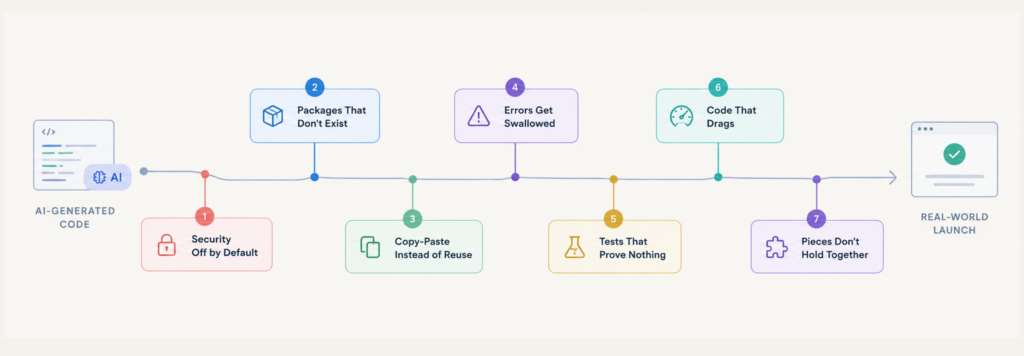
Lovable is a great platform to start with! You had an idea, and you brought it to life with Lovable. Now, sign-up works, payments go through, and the security scan came back without a critical finding. This makes the Lovable-built app look like it’s working well for real users, and even the security scan passes.
Lovable’s security scan is a good starting point, but it doesn’t cover everything. Your app’s security also depends on how you’ve set up database access, API keys, and payments. Even Lovable’s documentation says its scans don’t replace a thorough security review. So, before you launch, here are seven important checks to run yourself and to help you fix any issues you find.
Is Lovable secure?
Lovable has built-in security tools. Its Quick scan flags database tables without row-level security (RLS) when you publish, while the optional Deep scan reviews your code only when you run it. But neither guarantees your app is secure. Lovable makes it clear that meeting your app’s security requirements is your responsibility.
Two public cases show the gap. In 2025, researchers found 170 of 1,645 apps from Lovable’s showcase with inadequately protected endpoints (CVE-2025-48757). The scanner checked whether a database rule existed, not whether it worked correctly. In February 2026, The Register reported 16 flaws exposing 18,697 user records in another showcased app. Lovable said its scan had flagged issues the owner never fixed. In April 2026, Lovable also disclosed a platform issue affecting public projects, which it fixed within two hours.
Does row-level security protect my data once it’s switched on?
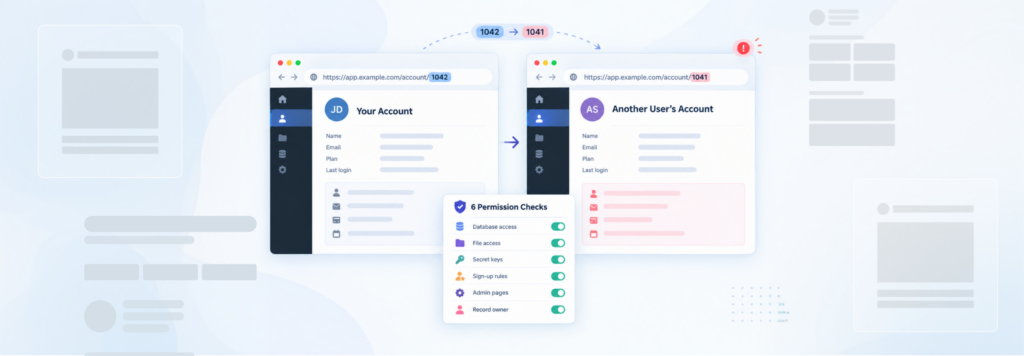
Only if each rule ties a row to the person asking. Row-level security is the set of per-table rules in Supabase that decide which signed-in user can read or change which rows. A table can have it switched on and still let everyone through. Three shapes cause most of it:
- A rule that says
using (true). Every row is tested against the word “true”, so every row passes. - No
with checkon inserts and updates. Supabase explains thatusingdecides which rows a user can target, whilewith checkdecides what a new or changed row may contain (Supabase docs). Without it, a user can write a row that claims to belong to someone else. - A role column the user can edit. If your profiles table holds
roleoris_adminand the update rule only checks that the row is theirs, a signed-in user can make themselves an admin.
create policy "users update only their own row"
on public.profiles for update to authenticated
using (auth.uid() = id)
with check (auth.uid() = id);
-- keep role changes out of this table, or block them with a trigger
To see what one account can read today, run the 30-minute empty account test.
Why can a regular user still reach my admin pages?
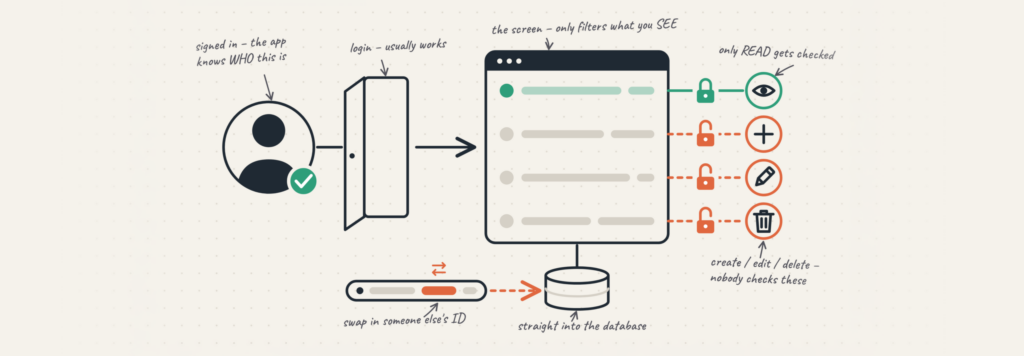
Because hiding a page and protecting it are separate jobs. AI-built apps often check the role on screen, so the admin menu disappears, while the edge function behind it accepts anyone signed in. Lovable’s docs note that running code on the server “does not make the operation private”.
Role-based access control has to live where the data lives, in the row-level security policy or the edge function, checked on every request. Test it by signing in as an ordinary user and repeating an admin request from your browser’s network tab. Our guide to access control for AI-built apps covers the four actions to test per role.
Where do API keys leak in a Lovable app?
Usually in the code shipped to the browser or in the project’s chat history. The Supabase anon key is meant to be public. The service role key bypasses row-level security entirely, and Supabase says a secret key should never be used in the browser.
Keys such as STRIPE_SECRET_KEY belong in Lovable’s Secrets, which only server-side code reads. Lovable’s guidance treats any secret that sat in frontend code as compromised, so if you pasted a key into chat or a frontend file, rotate it.
Why is my Lovable Stripe integration not working, or charging twice?
Most payment problems trace to the webhook, the edge function Stripe calls to report a payment. It needs two safeguards. First, it has to verify Stripe’s signature; Stripe warns that without verification, an attacker could send fake events that fulfil orders or grant access (Stripe docs). Second, Stripe can deliver the same event more than once, so the function should record each event ID and skip repeats.
If payments succeed in Stripe but accounts never upgrade, read the edge function logs in Supabase and Stripe’s event deliveries tab before prompting again.
Is a Lovable app HIPAA or GDPR compliant?
Not by default. Lovable’s Data Processing Agreement asks customers not to upload or input protected health information under HIPAA, and it does not mention a Business Associate Agreement. If your app handles patient data, that data needs a backend covered by one.
GDPR compliance belongs to your app. Users can ask for a copy of their data and for its erasure (GDPR Article 15 and Article 17), so test that “delete my account” clears every table and storage bucket.
How do I keep my Lovable app secure after the next prompt?
Re-check after every change that touches data. A prompt that adds a table or a role can arrive without the rules your earlier tables have, and Lovable’s docs say reviewing those rules after auth or schema changes is the builder’s jobs. Run the Deep scan before each release, then the seven checks below.
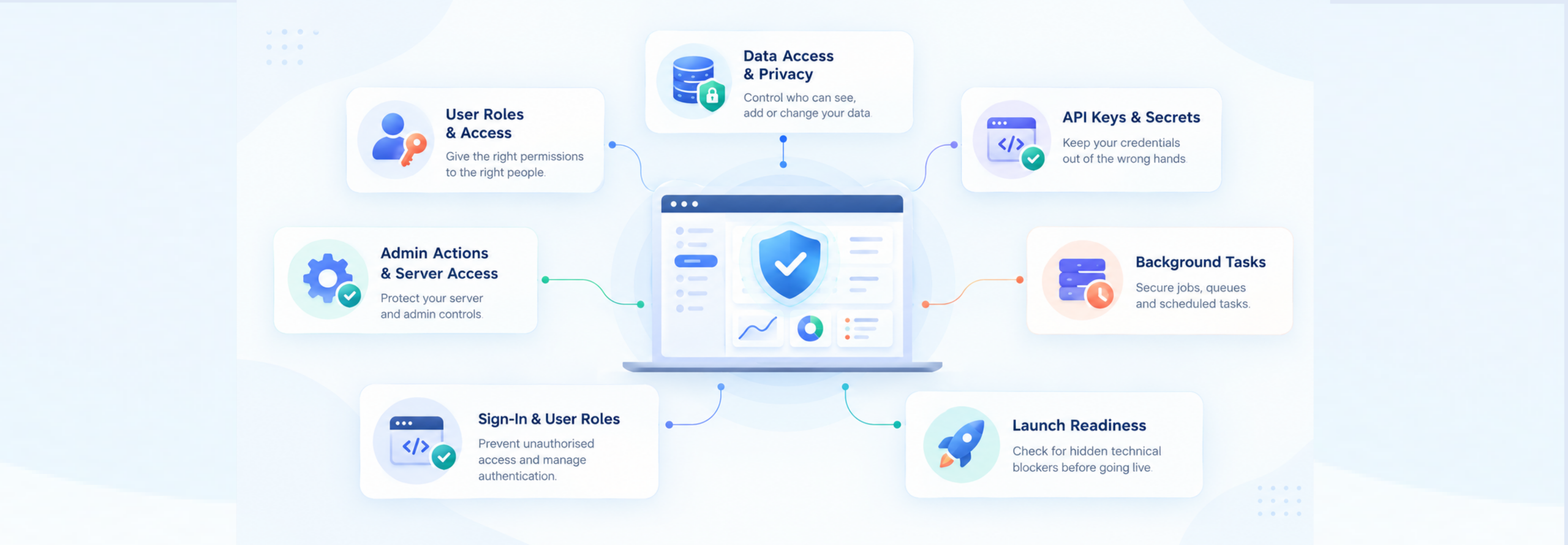
The 7-point Lovable app security check:
| Check Points | Check | How to test it | Pass |
|---|---|---|---|
| 1 | Row-level security on every table | List tables and policies in the Supabase SQL editor | Every table on, each with a policy |
| 2 | Rules tied to the user | Read each policy | No using (true) on private data |
| 3 | Writes checked | Insert a row with another user’s ID | Rejected |
| 4 | Roles locked | Change your own role as a normal user | Rejected |
| 5 | Admin actions protected on the server | Repeat an admin request as a normal user | Refused |
| 6 | Secret keys off the browser | Search the shipped code for service_role and sk_live |
Nothing found |
| 7 | Stripe webhook verified | Send an unsigned request; resend a real event | Rejected; processed once |
When should I bring in a Lovable expert?
When a check returns something you can’t explain, or launch is days away and nobody else has looked. You shouldn’t be the only person who understands how your app keeps its users’ data apart. An expert looking at it is there to finish it with you, not to grade the build.
Rubico has a team of technical experts that takes Lovable-built apps from working to production-ready. We reviewed and helped Agrete, a platform built in Lovable that connects several third-party systems, to not only excel with the architecture, but also security and scaling of the platform.
Book time with a technical expert for the code that broke even after passing the test.
FAQ
Is my Lovable app secure if the security scan passes?
It’s a good start, but it isn’t a guarantee. Lovable’s Quick scan doesn’t review application code, and Lovable says its tools don’t replace a full security review. Also check that database rules tie rows to the signed-in user, that admin actions are checked on the server, and that Stripe webhooks are verified.
What does a Lovable security audit check that the scan doesn’t?
It tests how the app behaves when someone goes looking: whether one user can read, change or delete another user’s rows, whether a user can make themselves an admin, whether secret keys reach the browser, and whether payments can be faked or processed twice.
Is Lovable HIPAA compliant?
No. Lovable’s Data Processing Agreement asks customers not to upload protected health information under HIPAA, and it doesn’t mention a Business Associate Agreement. For a HIPAA-compliant Lovable app, keep patient data in a backend covered by a BAA.
Why is my Lovable Stripe webhook not working?
Check the edge function logs in Supabase and the event deliveries tab in Stripe. The usual causes are a missing or wrong signing secret, a function that alters the raw request body before verifying the signature, and no handling for repeated events.
Should I hire a Lovable agency or consultant to fix my Lovable app?
If a check returns rows, roles, or keys you can’t explain, or launch is close, a second pair of eyes is faster than more prompting. Rubico’s technical expert reviews your Lovable-built app and supports you in getting it production-ready.