Building an app was a hassle back in 2016, but now times have changed drastically, and we know it better than anyone! Now, what’s required to build a well-functioning piece of software is just the vision, basic prompting knowledge, and obviously, access to an AI software-building platform. Describe what you want, and it will take it from there.
Iterating on the prototype to get to the final polished version can take weeks and may seem like the hardest part! Sorry to burst your bubble, but that’s one of the biggest misunderstandings. The reality is, this is where the hardest stretch starts.
Take OpenAI’s Codex, for example. It is one of the easiest platforms to use when we talk about AI app-building platforms. In just a few steps, an app built with Codex can look good, feel finished, and pass every functional test you run. BUT it still carries problems that only show up once users sign up, data piles up, or someone tries to play hide-and-seek with the data on purpose.
The problem is never about making the app work, but about making it secure, scalable, and ready for users to use. This guide covers what Codex production readiness involves when you have done everything on your own from the start. It covers the most common problems Codex users face in 2026, why they happen, and what you can check yourself. It also includes a 10-point checklist to make sure your app is ready before launch.
Why does my Codex app work on my machine but stop working once it’s live?
A Codex app that works locally but faces issues once its up and running usually differs in one of four places:
- environment variables,
- hardcoded localhost addresses,
- missing build or start commands,
- and outside services that still point at your laptop.
Superblocks’ Codex deployment guide lists the same blockers, plus Node version mismatches and hardcoded ports.
What to check:
- Replace every localhost address. Ask Codex to search the project for localhost and 127.0.0.1 and swap each one for an environment variable or a relative path.
- List your environment variables by name. Ask Codex for a readiness report naming the framework, the build and start commands, and every variable the app needs, without the secret values. Enter those names exactly on your host, and save the report in your project’s README.md so the next person who sets the project up has the same list.
- Update outside services once you have a live URL. Sign-in redirects, your CORS list (the websites allowed to call your backend), and payment webhooks all need the new address.
If you’re building in Codex’s cloud, there’s another thing to watch out for. Unlike your own computer, Codex starts with only what’s available in your project and what your setup instructions provide. So, if a tool, file, or database exists only on your computer, Codex won’t have access to it. Easton Dev’s walkthrough of Codex cloud tasks explains why cloud runs often fail: missing tools, databases that haven’t been set up, or instructions that rely on files from your computer. The setup script can download what it needs from the internet, but the agent can’t access the internet while working unless you enable it. So, make sure everything the agent needs is installed during setup.
OpenAI Sites lets you turn a simple prompt into a working website using ChatGPT or Codex. It’s currently in public beta for Plus, Pro, and workspace users. Just remember, building a site uses your Codex usage, and once you publish it, the link is live and accessible as a production website. So, don’t treat your first publish as a test run. Treat it like a final launch.
Is my Codex app’s security ready for your users?
Even though Codex provides good security for an app built and launched on it, it still has some loopholes. This situation leaves us with two questions:
- Can a visitor read any secret in your app’s code?
- Can one signed-in user get access to another user’s data? Both stay invisible while you’re the only person testing.
What to check before letting your users in:
- Secrets in the browser: Some frameworks that Codex works with, send certain variables to every visitor by design. In Vite, anything starting with VITE_ ends up in the browser. In Next.js, anything starting with NEXT_PUBLIC_ does the same thing too. Superblocks warns against renaming a private key with one of those prefixes to get a stuck build through. Payment keys and AI provider keys belong in server-side code. If a key was ever uploaded to GitHub, replace it with a new one and disable the old one.
- Data that belongs to someone else: Access control is the set of rules that decide which signed-in user can read or change which records, and it’s the check that matters most here. If your database is Supabase, those rules are row-level security policies. In Firebase, they’re security rules. The quickest test is to sign in as a second user and try to open the first user’s records. The 30-minute privacy test walks through it step by step, and these six permission checks cover the settings to look at.
- Run OpenAI’s own scanner: OpenAI launched Codex Security as a research preview in March 2026 and open-sourced it as a command-line tool on 29 July 2026. From your project folder, npx codex-security scan . checks the whole repository, and npx codex-security scan . –diff main…HEAD checks only what changed since your last release. You’ll need Node.js 22 or newer and Python 3.10 or newer. A clean scan is a good start, but it doesn’t guarantee that the right people have access to the right information. Test it using a second account to make sure.
One more thing to watch if you allow Codex to access the internet while working: it might come across hidden instructions on a website and follow them without you knowing. This is called prompt injection. It could also expose your code or private keys. To stay safer, allow access only to the websites Codex needs and limit it to reading information (GET requests), rather than making changes.
Is my Codex app’s data stored somewhere that will hold up?
If your app keeps user data in files, in the browser, or in a database without access rules, it will behave while you test alone and start losing data once several people use it at the same moment. Momen, which sells a backend platform, describes three launch problems it sees in Codex apps (July 2026):
- Two people save at the same instant and one change overwrites the other, which shows up as double bookings or oversold stock.
- Sign-in lives only in the browser, so it disappears on refresh or stops working once deployed.
- Dashboards pull every record into the browser and slow down as the data grows.
Ask Codex where each piece of data is stored. If the answer is a file or the browser’s storage, move it to a managed database before launch.
Why does Codex keep forgetting the rules I gave it?
Codex reads your standing instructions from AGENTS.md files, and it stops reading once the combined files reach 32 KiB by default, a limit set by project_doc_max_bytes. Anything past that cap is dropped without a warning, as Daniel Vaughan explains. In long sessions, Codex also compacts older conversation to make room, and rules can fall out along the way.
Sam Brovda, who builds a consumer mobile app mostly with Codex, ran into this (November 2026). His instruction file had grown to about 44 KB, so the oldest and most basic rules were the ones that got cut. A GitHub issue opened in June 2026 describes the long-session version: after automatic compaction, Codex Desktop lost project rules, recent corrections and approaches that had already been ruled out.
What helps:
- Keep the main AGENTS.md short. Put the rules Codex breaks most often first, prune the ones that no longer apply, and move area-specific rules into AGENTS.md files inside those folders.
- Look for an override file. MemoryLake points out that Codex reads one instruction file per folder, and AGENTS.override.md wins over AGENTS.md. A forgotten override can replace your original rules without you noticing.
- Start a fresh session for each new task. A short, focused session keeps your rules close to the front of what Codex is reading.
- Keep a dated decision log that Codex reads, with newer entries marked as replacing older ones. This is Brovda’s fix, and it stops old decisions from coming back. Commit the log to GitHub with your code, so the record lives in the project and not only in a chat.
How do I check Codex’s work when I can’t read every line it changed?
You don’t need to read every line. You need changes small enough to understand, and proof of what was tested. Brovda describes one commit that touched 241 files, and pull requests that merged within a minute because nobody could review changes that size.
Four habits from his write-up carry over to any Codex build:
- One screen or behaviour per change: Tell Codex to stop and ask before a change grows beyond that.
- Ask for an evidence report: Before you accept a change, have Codex list what it tested, what passed and what it didn’t check.
- Test with live data: Filler content hides problems that only show up with actual users.
- Make release its own decision: Brovda found agents treating “finished” as “released”, so written approval for each release became a standing rule.
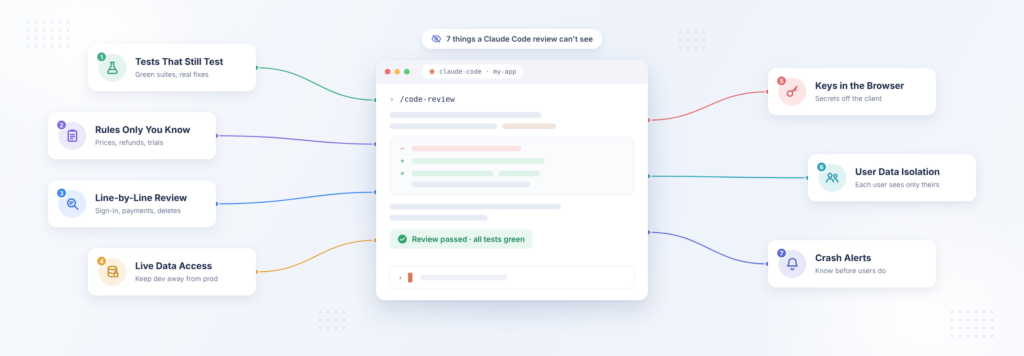
For more on what automated review tends to miss, see 7 blind spots in AI-generated code that need human review.
How do I keep Codex usage limits from stalling my launch?
Plan your launch week around Codex’s 5-hour and weekly usage windows, because builders report running out mid-task. In OpenAI’s rate-limits discussion thread, one user says a 5-hour window covers a little over an hour of intensive coding, and another says much of their quota goes on getting the agent to correct its own mistakes.
Ways to make the allowance last:
- Diagnose before editing: Ask Codex to explain the cause and propose a fix before it changes anything.
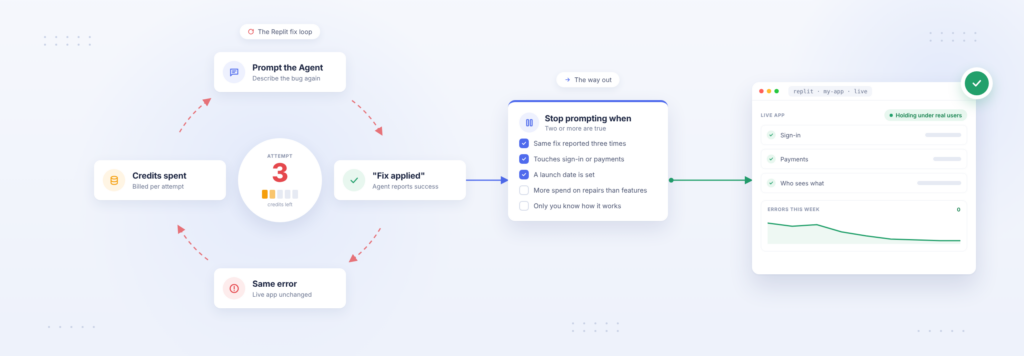
- Stop after two attempts on the same bug: If two rounds haven’t fixed it, a third prompt spends more usage on the same idea. That’s the moment for a second pair of eyes.
- Match the model to the job: Save the strongest model for hard problems and use a lighter one for small edits.
- Keep usage in reserve: Don’t leave the last fix for launch morning.
What happens to my Codex app if OpenAI changes the model or ships an update?
Your app’s code keeps running, but the way you build it can change overnight. OpenAI retires models on its own schedule. GPT-5.2 was retired on 5 June 2026, and GPT-5.5 left Codex for ChatGPT sign-in on 14 October 2026. The app changes too. After a ChatGPT desktop update on 1 September 2026, one builder reported that every Codex project had disappeared from the app.
Protect your work:
- Keep your code in GitHub and commit after every working change, so it never lives only inside Codex.
- Keep a README.md in the project. It’s the short front page of your app: what it does, how to install it, which environment variables it needs (names only) and how to run it. Ask Codex to write one and to update it whenever the setup changes. Anyone who joins later, including an engineer you bring in, can get the project running from it.
- Document project decisions and commit them. Record each decision as you make it, such as which database you chose, why a library was picked and what was ruled out, and commit that record alongside the code. AGENTS.md , README.md and the decision log survive a lost chat thread. A decision that lives only in a chat doesn’t.
- Re-test after a model change. A new model can read your instructions differently, so run your main user flows again before shipping anything it writes.
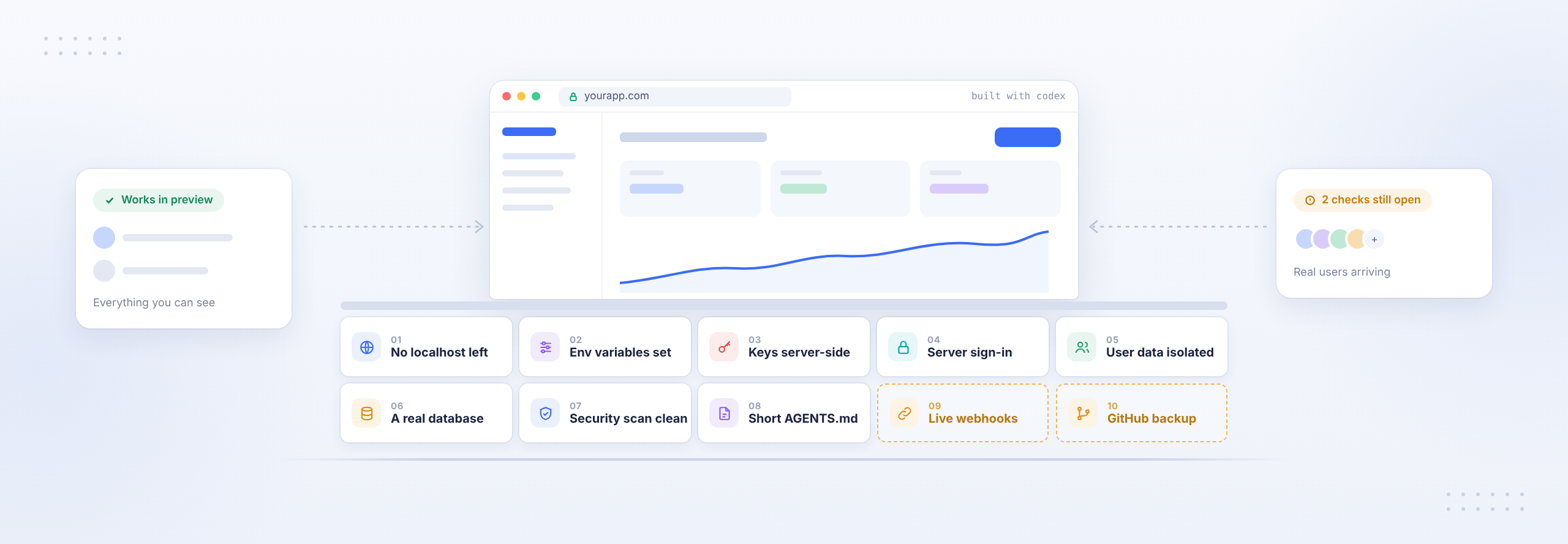
The 10-point Codex production check
Run these ten checks before your users arrive. You can confirm each one yourself or ask Codex to show you the evidence.
Codex production checklist: 10 checks to run before launch
| Check | How to confirm it | |
|---|---|---|
| 1 | No localhost addresses remain | Ask Codex to search the project and list every match |
| 2 | Every environment variable is set on your host | Compare your host’s list with Codex’s readiness report |
| 3 | No private key sits in browser code | No secret uses a VITE_ or NEXT_PUBLIC_ prefix, and any key ever committed has been rotated |
| 4 | Sign-in is checked on the server | You stay signed in after a refresh, and server routes refuse requests without a session |
| 5 | A second user can’t see the first user’s data | Sign in as user B and try to open user A’s records |
| 6 | User data lives in a managed database | Nothing is stored in files or the browser, and two people can’t book the same slot |
| 7 | The Codex Security scan is clean | npx codex-security scan . reports no critical or high findings |
| 8 | AGENTS.md stays under 32 KiB | No forgotten AGENTS.override.md, and critical rules sit near the top |
| 9 | Redirects, CORS and webhooks use the live URL | Sign in and complete a test payment on the live site |
| 10 | The last working version, README.md , and decision log are committed to GitHub | Someone new could set the project up from the README alone, and you could rebuild the app if Codex lost the project tomorrow |
When should I bring in a Codex expert?
Bring in a Codex expert when a check keeps failing, you’re unsure about a security issue, or your launch deadline is too close to risk another delay. A quick freelance consultation can help with one question, but getting launch-ready often needs ongoing support. You shouldn’t be the only person who understands how your product works, and an up-to-date README.md and decision log are what let someone else pick it up quickly. Rubico helps take AI-built products from working to production-ready. Book a session with a technical expert and bring the issue you’re stuck on.
Frequently asked questions
Why is my Codex app not working after I launch it?
Most problems after launch come down to four things:
- Missing settings needed to run the app.
- App links that still point to your own computer instead of the live website.
- Missing instructions to build or start the app.
- Sign-in, security, or webhooks settings that haven’t been updated for the live version.
If the Codex desktop app itself won’t open, that’s a different issue. You can find the fix in OpenAI’s troubleshooting guide.
How do I fix a ChatGPT Codex app that keeps undoing things that worked?
Keep each change to one screen or behaviour, ask Codex to report what it tested before you accept a change, and commit every working version to GitHub. If your rules keep getting ignored, check that AGENTS.md is under 32 KiB and that no override file replaces it.
Is Codex Security enough to make my app safe to launch?
It’s a strong start. OpenAI’s open-source Codex Security CLI scans your whole repository or only recent changes. Pair it with a second-account test: sign in as another user and try to open the first user’s records. A scanner can’t confirm your access rules match what you intended.
Do I need a Codex expert to launch?
Not for every check, though. You can check most of the above-mentioned ten checks yourself. Bring in an experienced engineer when a fix doesn’t resolve bugs even after you have fixed it several times, when a security finding is unclear, or when the launch date leaves no room for another lost day.